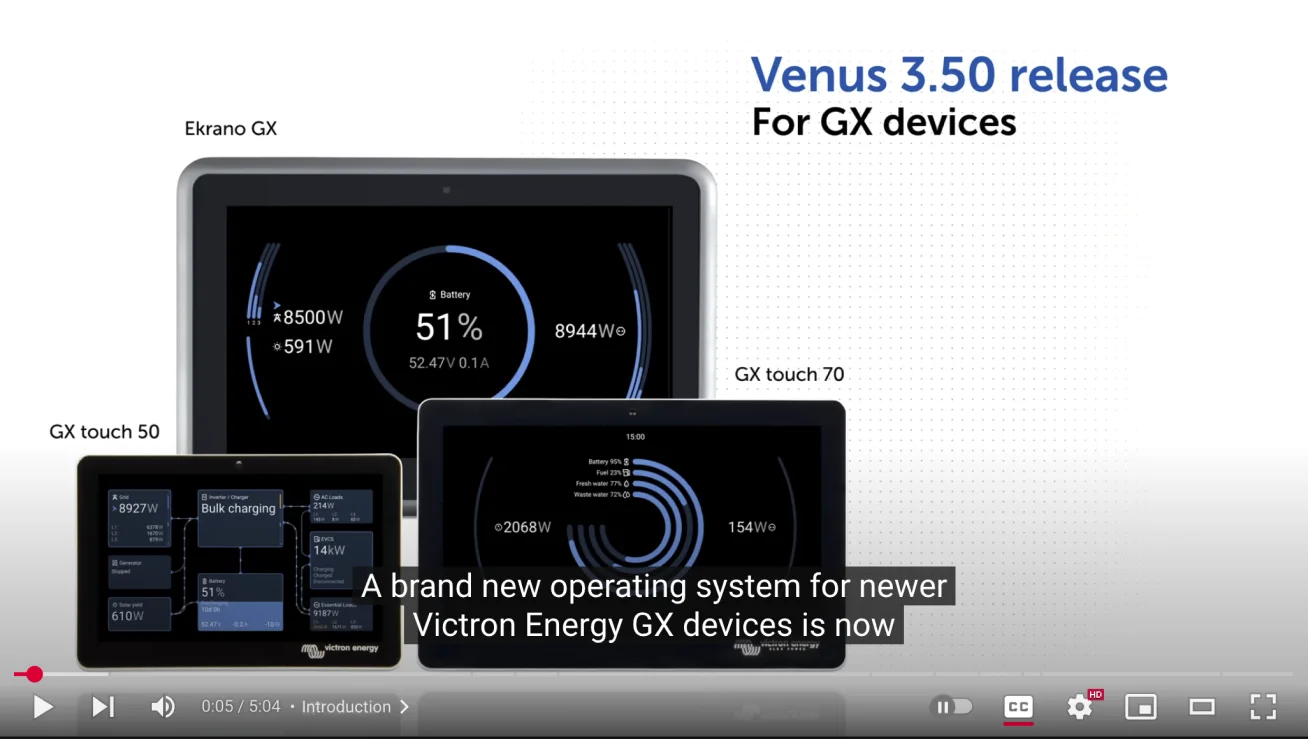
Venus OS
One interface for every Victron system, from a weekend van to an off-grid home.
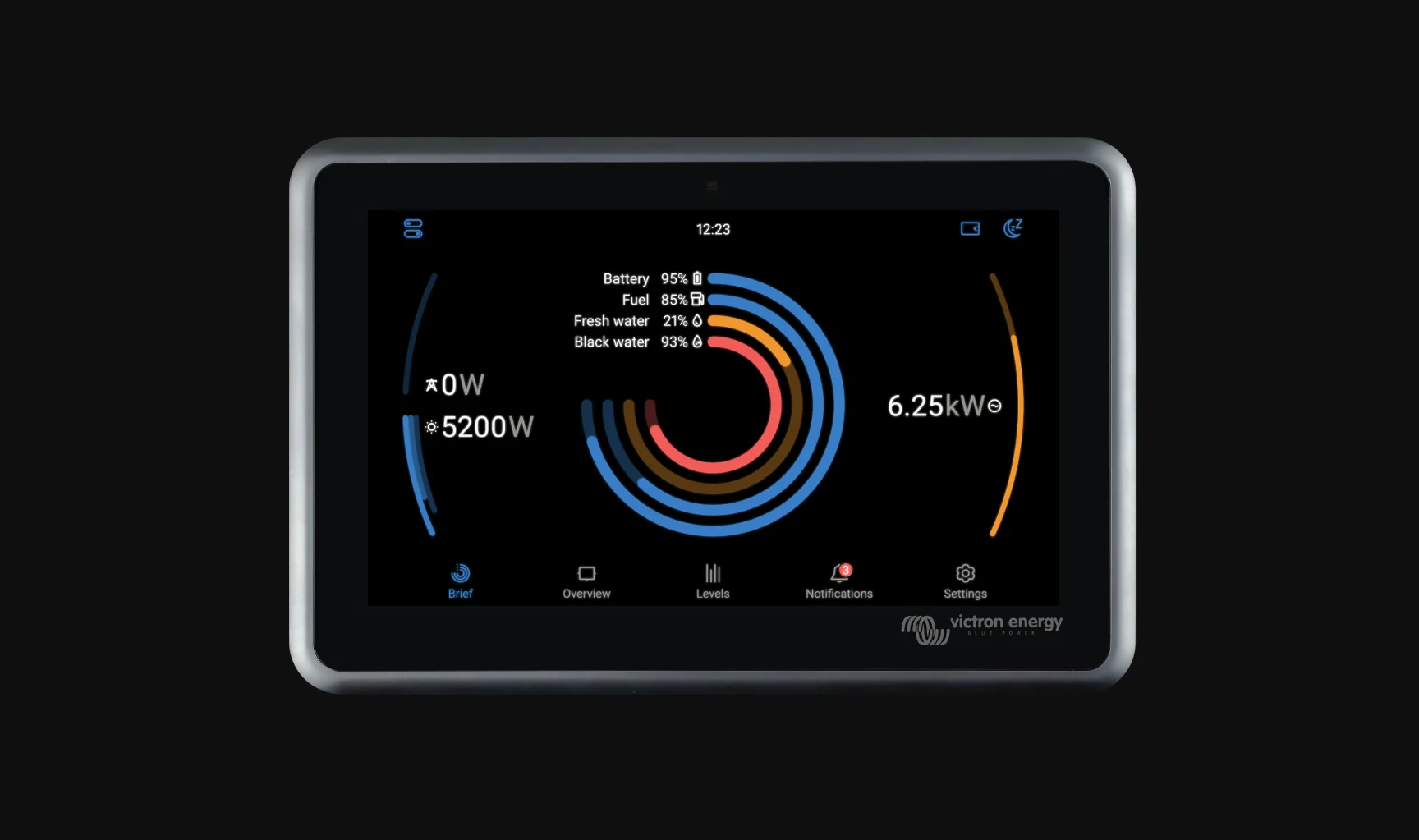
Flexible hardware, one small screen.
Victron hardware powers boats, vans, homes and off-grid sites, and almost no two systems are wired the same way. The GX display has to make sense of all of them.
The previous interface showed everything the system knew, in the language of the people who built it. The task was to make it readable at a glance for a boat owner, while keeping every detail an installer depends on.
Who the screen has to work for
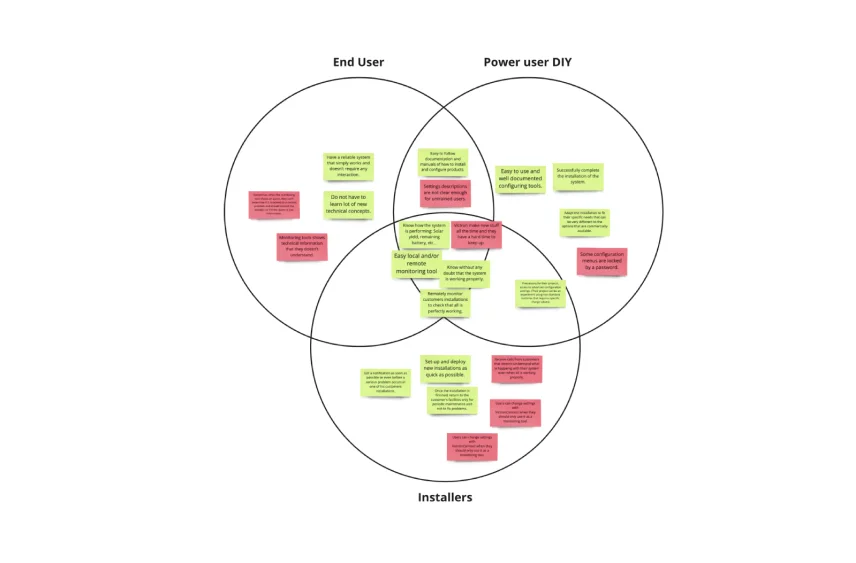
Six user groups, from the family on board to the certified installer. Each reads the same screen with a very different level of technical understanding.
- Family and friends of end users
- End users
- Distributors
- DIY power users
- Fleet managers
- Installers
“It should just work.”
Wants a reliable system that needs no interaction and no new technical concepts. Monitoring tools full of technical data they don’t understand were the main frustration.
“Let me configure it.”
Wants clear, well documented setup tools to finish the installation alone. Password-locked menus and vague setting descriptions got in the way.
“Deploy fast, check remotely.”
Wants to set up new installations as quickly as possible, monitor customer systems remotely and get notified the moment something goes wrong.
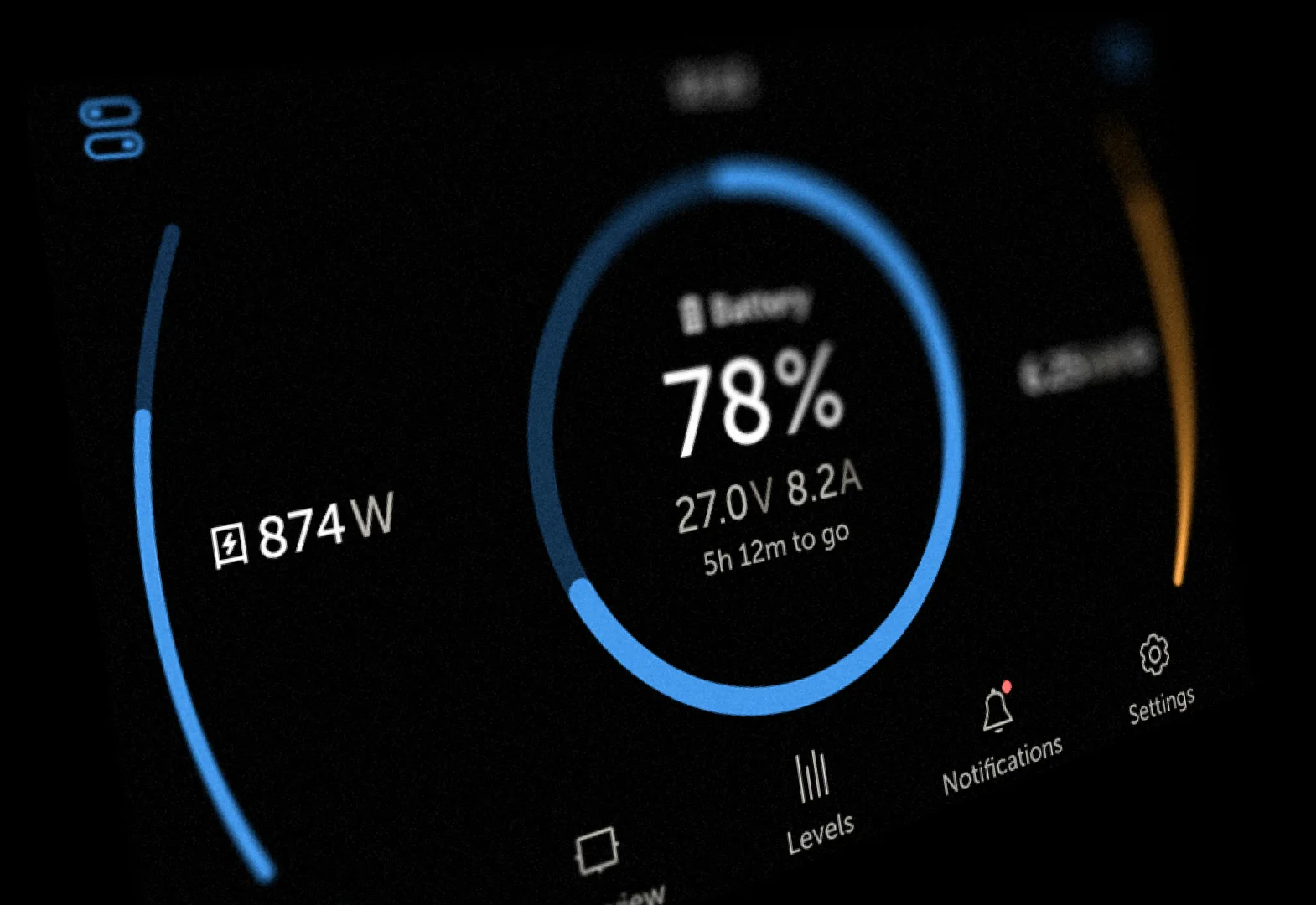
Five tabs, from glance to detail
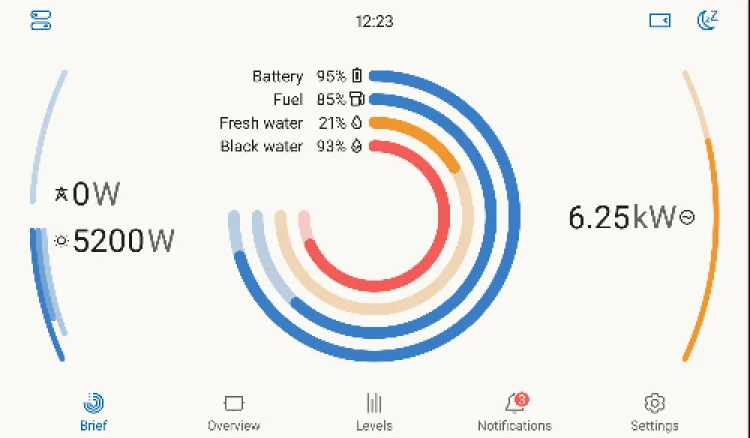
Brief: the whole system in one look
Battery, fuel and water as concentric rings in the centre. Power coming in on the left arc, power used on the right.
Readable from across a cabin, in a light theme for daylight and a dark one for night. The ring motion was built in Figma and exported to Lottie, so it ships exactly as designed.
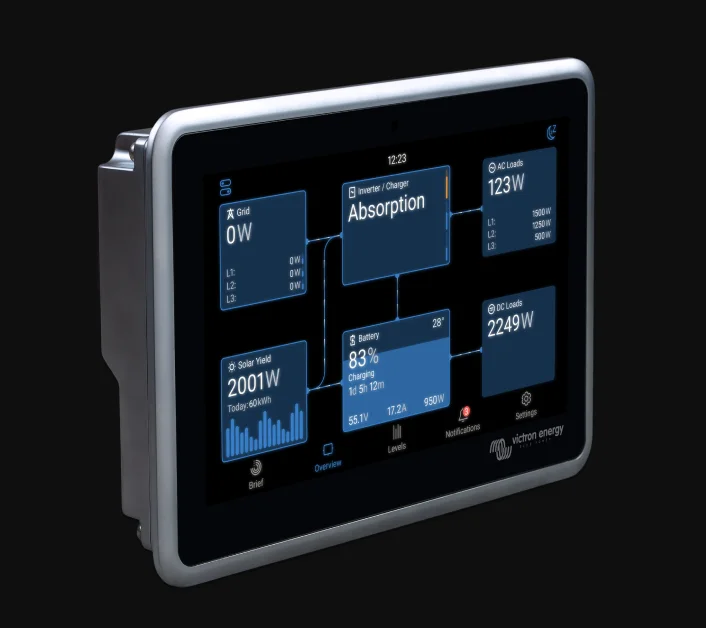
Overview: built from modules
Every part of the system is a tile: grid, solar, inverter or charger, battery, AC and DC loads. Flow lines show where energy is moving.
Because each tile stands alone, the same layout adapts to whatever is installed. That is how one screen covers thousands of system setups.
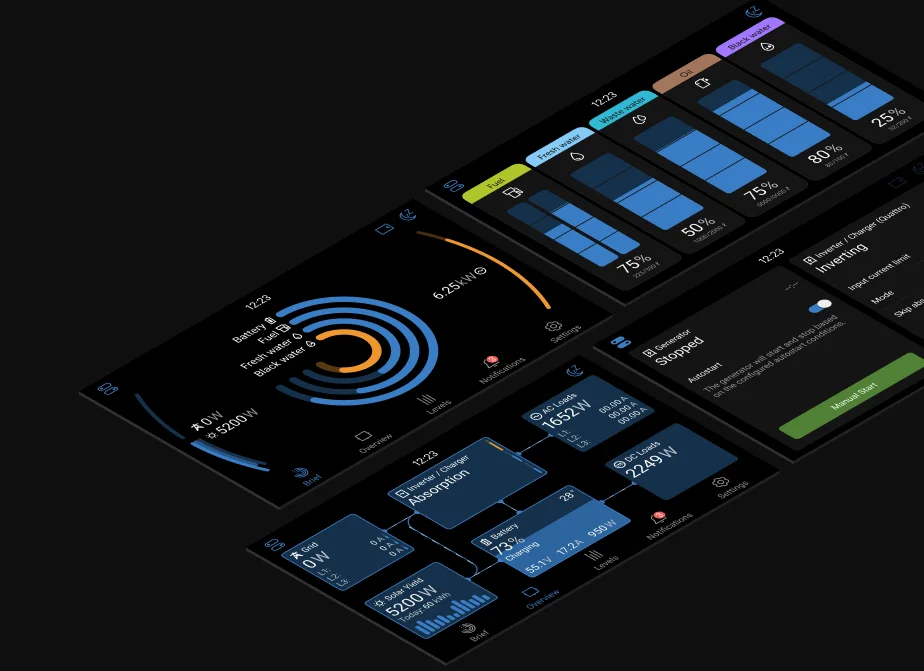
Depth, one tap away
Tank levels, generator and inverter controls, and settings sit one level down.
Professionals keep every control they had. Everyone else never has to see them unless they choose to.
One system under every screen
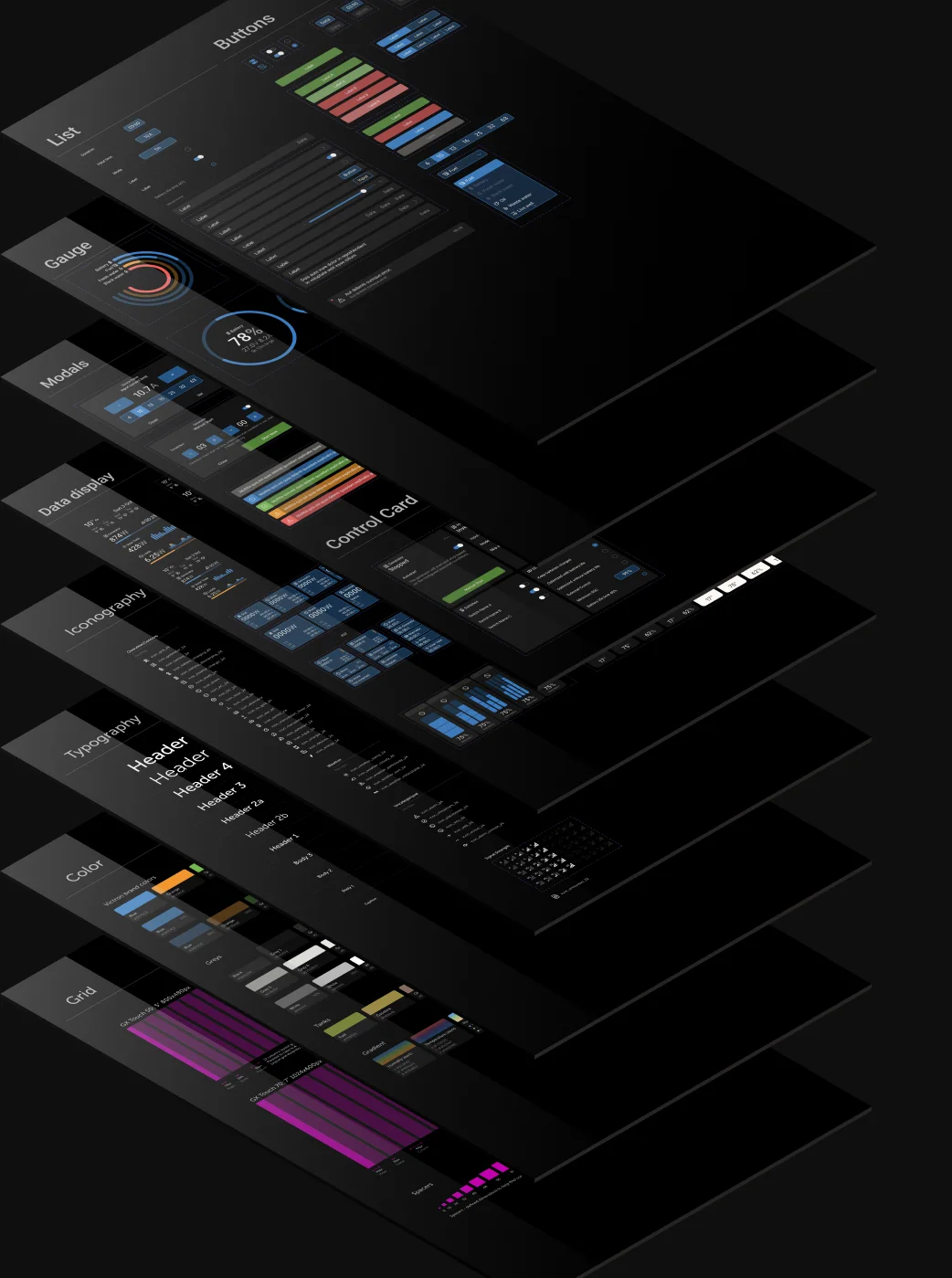
A structured style guide and connected, reusable components. Design updates move faster, developers and designers share one language, and every device feels like the same product.
- Grid
- Colour
- Typography
- Iconography
- Data display
- Gauges
- Control cards
- Lists
- Buttons
- Modals
How it came together
- DefineFrame the problem with Victron
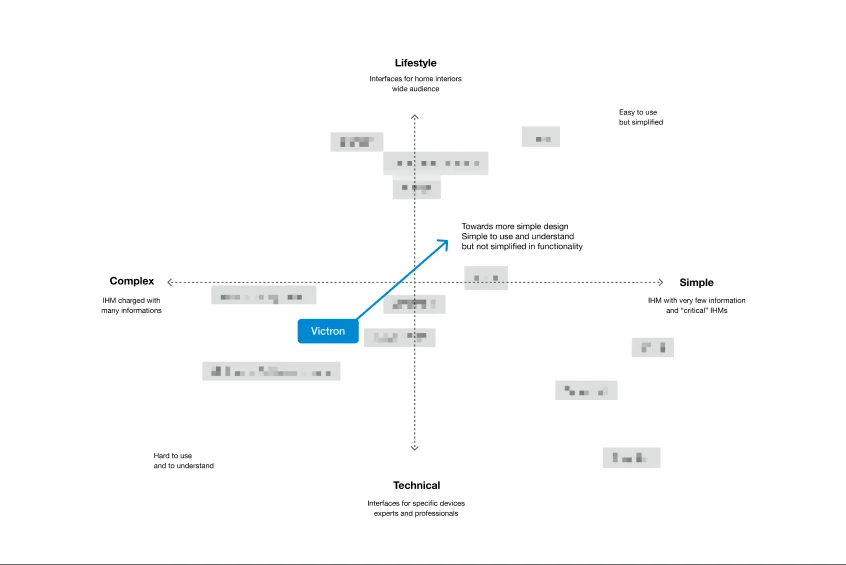
- ResearchUser groups, needs, market position
- IdeateConcepts for each screen
- DesignModules, system, motion
- ValidateTest, refine, repeat
- DeliverSpecs, tokens and Lottie files
Ideate, design and validate ran as a loop until each screen held up.
Shipped in Venus OS 3.50
Released by Victron as a new operating system for its newer GX devices.